
So, you’ve decided to buy a used Segway i2 or x2. After selecting the model, finding the right price and contacting the seller, you’re ready to test the vehicle before finalizing your purchase. But how do you make sure a used PT is in good working condition? Here’s a list of 10 things you should check before buying.
EVALUATING THE CONDITION OF THE SEGWAY PT
-
Check the wheels and tires
Start by making sure that the wheels aren’t warped by looking at them from as many angles as possible. Then look at the wear on the tires. Even on an urban model, there should still be some grip.
During these first few minutes, you should also double-check the brand of the PT.
-
Check the condition of the central console
Look at the sealing joints and make sure they are in good condition. There shouldn’t be any small cracks on the console (the part located between the user’s feet).
-
Check the batteries and the charger
Then, look at the batteries located under the PT. If there are a lot of scratches/impacts, this could be a sign of improper use. At the rear, if the charger still has its spring-loaded cover (which is rare), it means it’s in good condition.
Check the PT’s serial number. To do this, lift the back of the right-hand mat. The 12-digit number, the first two digits of which indicate the year of production, is located on a small white sticker.
- Check the condition of the handlebars and mudguards
The steering shaft and its handlebars, called LeanSteer, may show a lot of signs of wear. The mudguards may also carry traces of paint. In general, this has no effect on the operation of the PT. It should be noted, however, that an impeccable LeanSteer and mudguards are often the sign of careful use and storage.
- Check the infokeys
A Segway key looks like a black watch. The manufacturer calls this an infokey. In a way, it’s the PT’s onboard computer, containing the charge level, speed, mileage, etc. Each Segway PT is sold with 2 identical infokeys, like a car with a spare set of keys.
I suggest asking the seller if they plan on giving you both copies, and if not, whether they have reported one of the 2 keys as lost or stolen to Segway. Also make sure that all the buttons work by testing each one.
TEST DRIVING THE PT
- See how it handles on the street
Is the Segway PT easy to maneuver and is the ride smooth? Does the PT respond to even the slightest lean of the body? When riding in a straight line, if the PT drifts to the left or to the right, this is often due to a difference in the pressure of the tires or a LeanSteer that is not mounted exactly vertically. However, make sure that the problem is indeed one of these two and not something else.
- Listen to the noise the PT makes
Quiet! Pay attention to the noise while driving – it should correspond to the noise of an electric vehicle, that is to say, just a little whirling proportional to the speed of movement. Any other sound is not normal.
- Check the elastomers and the couplings
Reverse the vehicle until the reverse vibration alert is triggered. If there is a loud clicking sound instead of a soft vibration, then the elastomer and/or coupling should probably be replaced.
- Check that the batteries charge correctly
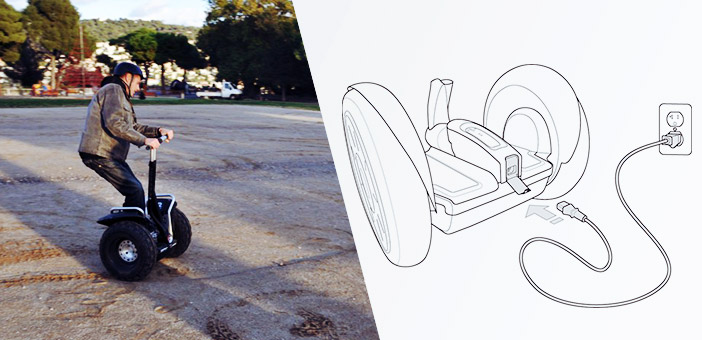
Plug the Segway PT into a power outlet and check the colored indicators on the central console. If the indicators are green, whether blinking or not, it means that the charge is normal. If you see red indicators, it means that the battery/batteries are not charging. This should be a deal-breaker for the sale.
- Test the range of the batteries
Finally, the best solution is to test the Segway PT by driving it until there is just one bar of charge left. If this is not possible, maybe you can rent the PT before buying it.
You can ask the seller if the Segway was plugged in when not in use. If the PT stays unplugged for too long, the range of the batteries can be reduced and the batteries may even be damaged. In any case, checking the condition of the batteries is by far the most important thing to do when buying used.
